


HS Finder
The HS Finder is an AI-assisted classification tool that helps you identify the correct Harmonized System (HS) code for your products based on a plain-language description. Instead of manually searching through thousands of tariff headings, you describe your product and the system suggests the most likely classification with supporting reasoning.
Why HS Classification Matters
The HS code assigned to your product determines which tariff rates apply when it crosses a border. An incorrect classification can lead to:
- Overpayment of duties -- paying more than you owe
- Underpayment of duties -- risking penalties, fines, or shipment delays
- Compliance issues -- customs authorities may detain or reject shipments with incorrect classifications
The HS Finder helps you start the classification process by narrowing down the most likely codes, which you can then validate with your customs broker or through official ruling processes.
Important: The HS Finder is a decision-support tool. It assists with classification but does not provide legally binding rulings. Always confirm critical classifications through official channels.
How to Use the HS Finder
- Navigate to HS Finder in the left sidebar under Tariff Tools.
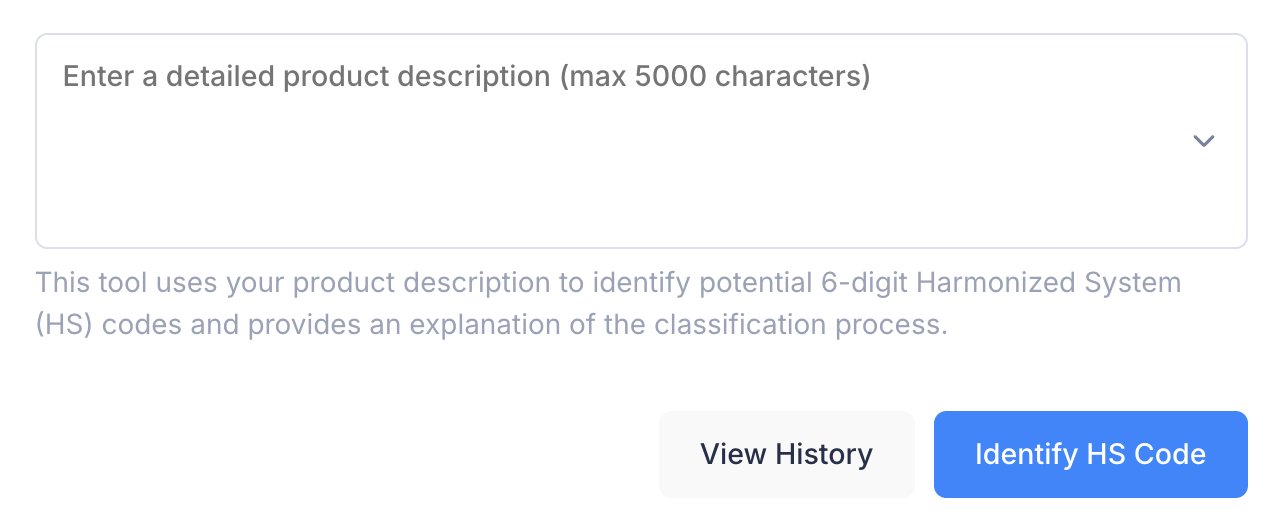
- Enter a detailed product description in the text field (up to 500 characters).
- Click Identify HS Code.
The system will analyze your description and generate a classification report.
Writing Effective Product Descriptions
The accuracy of the classification depends heavily on the quality of your description. Here are best practices:
| Do | Don't |
|---|---|
| Include material composition (e.g., "stainless steel") | Use vague terms (e.g., "metal thing") |
| Specify the product's function or use (e.g., "for household cooking") | Use brand names alone (e.g., "Samsung") |
| Mention key characteristics (e.g., "electric motor, for passenger transport") | Write extremely short descriptions (e.g., "car") |
| Use technical or industry-standard terminology | Include unrelated information |
Good example: "Tesla Model 3 electric passenger car with lithium-ion battery, designed for road use"
Poor example: "Tesla car"
Understanding the Results
Classification Report
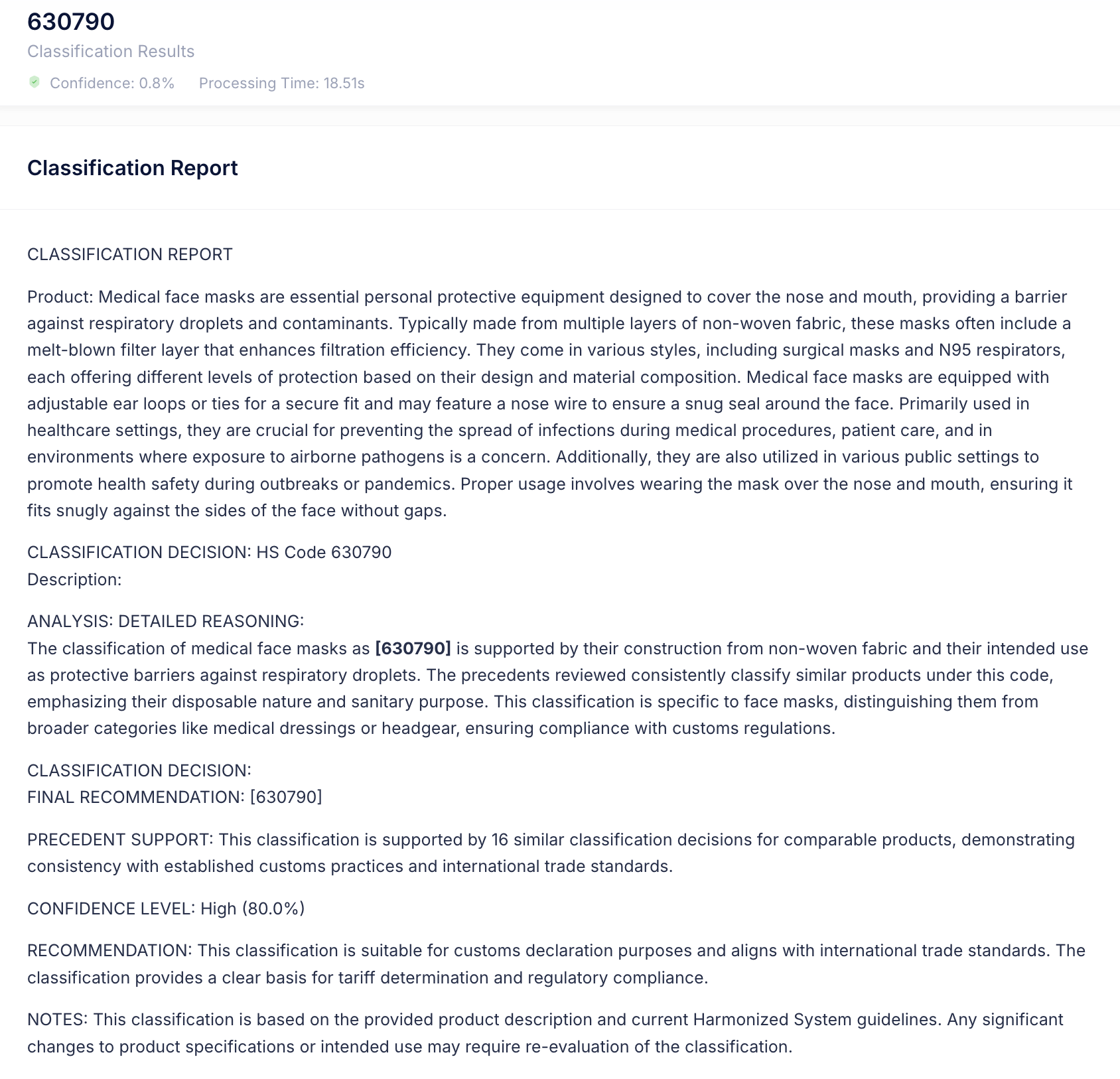
The HS Finder returns a structured report with three sections:
| Section | Description |
|---|---|
| Product | A standardized summary of the product based on your description |
| Reasoning | An explanation of the classification logic, including which product characteristics drive the HS code selection and which classification rules were considered |
| Conclusion | The recommended HS code(s) with their descriptions |
Example:
For the description "Tesla Model 3 electric passenger car":
- Product: Electric passenger motor vehicle
- Reasoning: The product is a motor vehicle designed for passenger transport powered by an electric motor. Under HS classification rules, electric vehicles for passenger transport fall under heading 8703, with subheading 870380 covering vehicles with only electric motors for propulsion.
- Conclusion: HS Code 870380 -- Other vehicles, with only electric motor for propulsion
HS Code Hierarchy
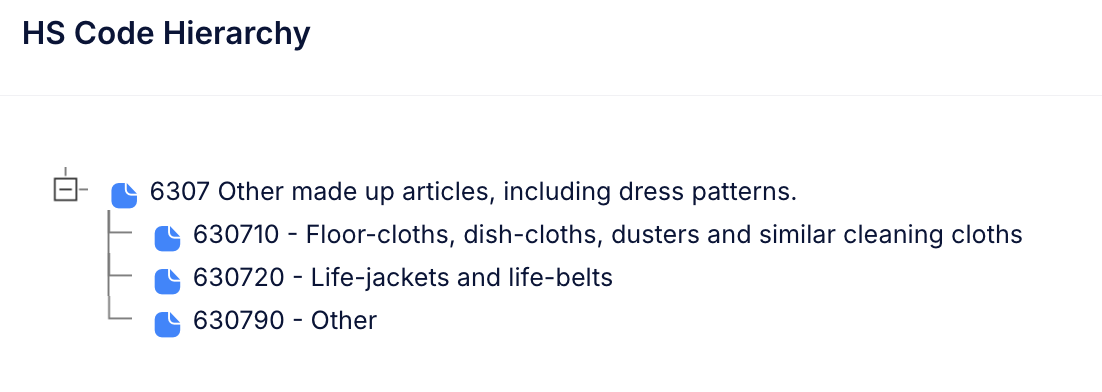
Below the classification report, the tool displays an expandable tree showing the HS code hierarchy. This helps you:
- Understand where the recommended code fits within the broader classification structure
- Explore neighboring codes that may also be relevant
- Verify that the classification makes sense in context
The recommended code is highlighted in blue for easy identification.
Example hierarchy for code 870380:
87     -- Vehicles other than railway or tramway rolling stock
  8703   -- Motor cars and other motor vehicles for transport of persons
    870380 -- Other vehicles, with only electric motor for propulsion  [highlighted]
Classification History
Each classification query is saved in your account history, allowing you to:
- Review past classification requests and their results
- Build an internal audit trail for compliance purposes
- Re-run classifications as needed without re-entering descriptions
Practical Use Cases
| Scenario | How HS Finder Helps |
|---|---|
| New product sourcing | Quickly identify the likely HS code before requesting quotes that include landed costs |
| Pre-shipment verification | Confirm the HS code your supplier or broker assigned to a product |
| Compliance documentation | Generate a reasoning trail that supports your classification decisions |
| Product catalog classification | Classify multiple products efficiently when setting up a new catalog |
Limitations
- The HS Finder provides suggested classifications, not legally binding rulings. For binding decisions, consult your national customs authority's ruling process.
- Complex products (e.g., multi-component goods, kits, or products with multiple possible uses) may require professional judgment beyond what the tool provides.
- The tool classifies to the 6-digit international HS level. National extensions (8 or 10 digits) may need to be determined by consulting the relevant country's tariff schedule.
Tips for Best Results
- Be as specific as possible. More detail leads to better classification accuracy.
- Include material, function, and form. These are the three key factors in HS classification.
- Run multiple descriptions. If you are unsure how to describe a product, try different phrasings and compare results.
- Use the HS hierarchy to explore related codes and confirm the classification makes sense.
- Cross-reference with Tariff Search. Once you have an HS code, use the Search tool to see the applicable duty rates for your trade corridor.