


Tariff Schedule Browser
The Schedule Browser lets you explore the complete national tariff schedules of supported countries in a standardized, easy-to-navigate format. Instead of visiting separate government websites with different layouts and structures, you can browse all schedules in TariffBase with a consistent interface.
What Is a Tariff Schedule?
A tariff schedule is the official document published by a country's customs authority that lists every product that can be imported, its HS code classification, and the applicable duty rates and trade regimes. The Schedule Browser in TariffBase presents this data in a structured table format across all supported markets.
Accessing the Schedule Browser
- Navigate to Schedule in the left sidebar under Tariff Tools.
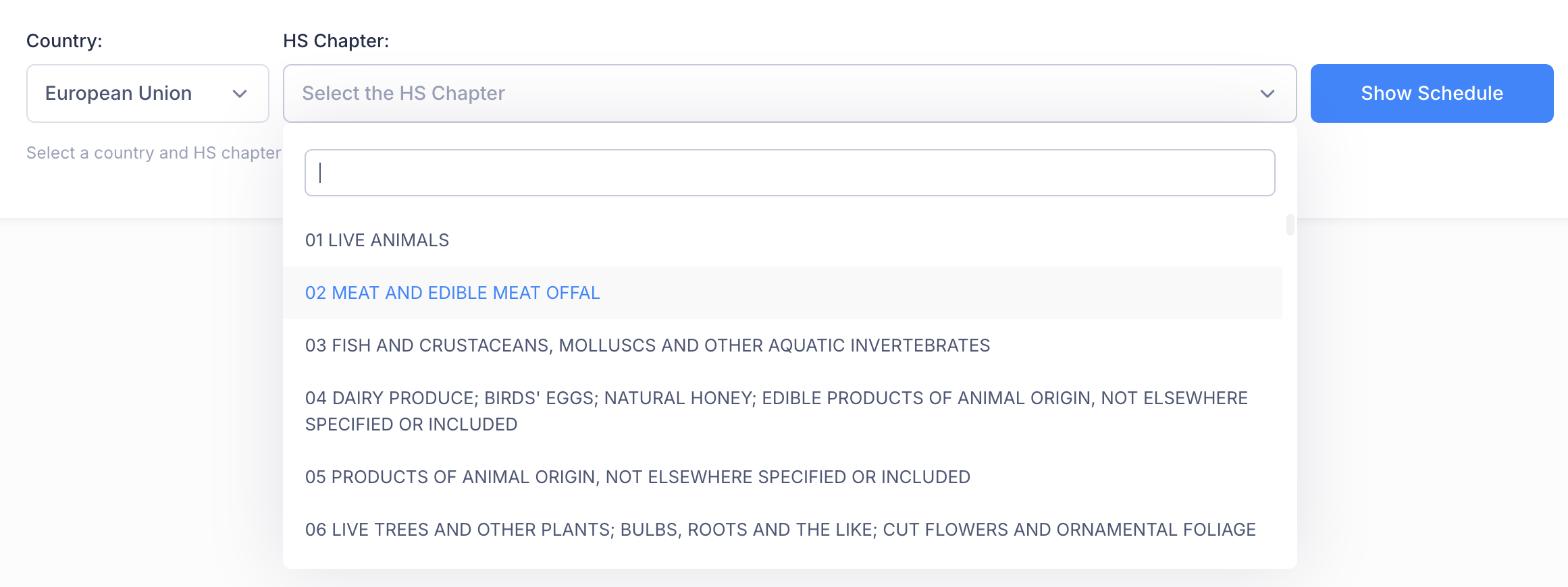
- Select a Country from the dropdown -- e.g., United States, European Union, or China.
- Select an HS Chapter to narrow results to a specific product category -- e.g., Chapter 02: Meat and Edible Meat Offal.
- Click Show to display the schedule.
Understanding the Results
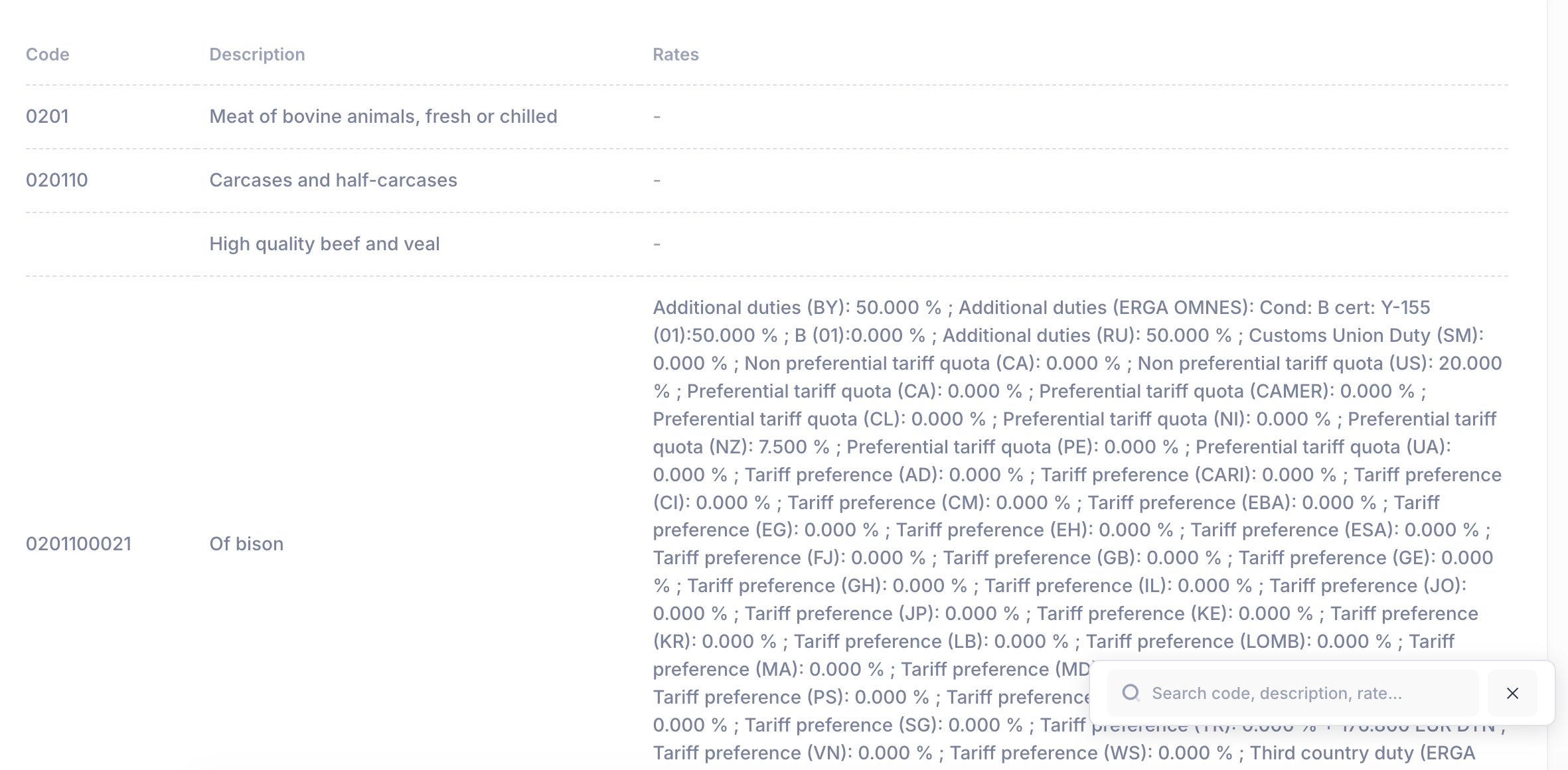
The schedule is displayed in a structured table with the following columns:
| Column | Description |
|---|---|
| Reporter | The country associated with the tariff schedule |
| Code | The HS code for the product or product category |
| Description | A brief text description of the product |
| Rates | All applicable tariff rates and the regimes they belong to |
Code Hierarchy
Codes are displayed hierarchically, from broad headings to specific national tariff lines:
- 4-digit heading (e.g.,
0201) -- Meat of bovine animals, fresh or chilled - 6-digit subheading (e.g.,
020110) -- Carcasses and half-carcasses - National tariff line (e.g.,
0201100021) -- Specific product classification (e.g., bison)
This structure lets you see the full classification context for any product.
Rate Details
The Rates column provides a complete breakdown of all applicable duties for each tariff line, including:
- MFN (Most Favored Nation) duties -- the standard rate
- Customs Union duties -- common external tariff for union members (e.g., EU)
- Preferential rates -- reduced rates under trade agreements
- Tariff quotas -- in-quota and out-of-quota rates
- Additional duties -- special measures applied to specific partners or products
Viewing Tariff Regimes
For additional context on which trade regimes apply to a country's schedule:
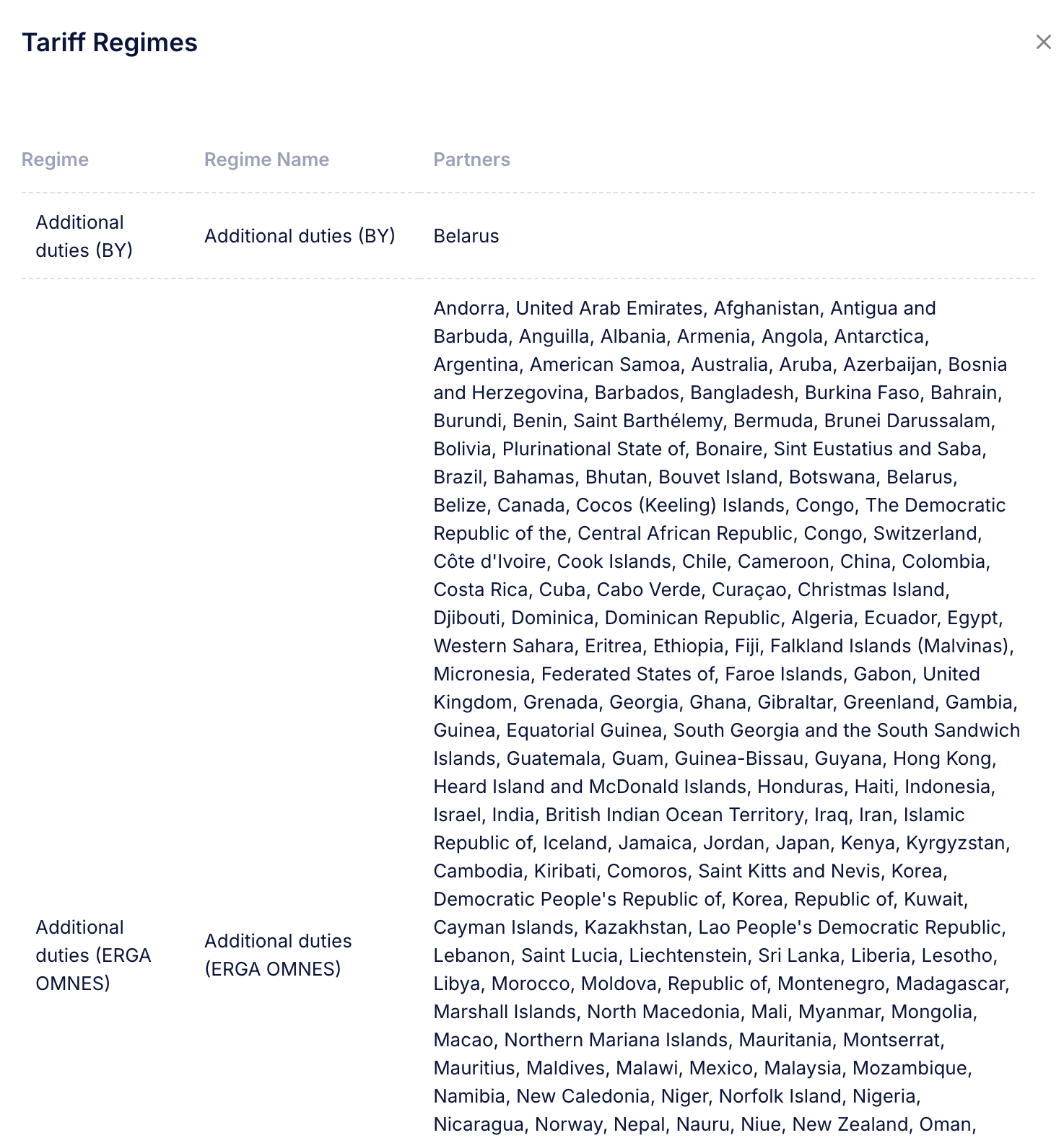
- Click the Show Schemes toggle in the toolbar.
- A Tariff Regimes drawer will slide open, displaying:
- Regime name -- e.g., MFN, Additional duties (US), Generalized System of Preferences
- Partner countries -- the list of countries or regions covered by each regime
This view is particularly useful for understanding the full set of trade relationships that affect a country's tariff structure.
Example entries:
- Additional duties (US) -- Applicable to the United States
- Generalized System of Preferences (GSP) -- Applicable to qualifying developing countries
- Safeguard duties -- Applicable to specified countries with rates and effective periods
Navigation Tips
- Scroll View toggle -- Enable the scroll view for a more compact display when exploring chapters with many tariff lines.
- Click a code -- Click on any code in the table to see its full rate details and to jump to the Tariff Search results for that specific code.
- Compare across countries -- Run the Schedule Browser for the same HS chapter in different countries to compare duty structures across markets.
Practical Use Cases
| Scenario | How to Use the Schedule |
|---|---|
| Exploring a new market | Browse the relevant chapters to understand the duty structure before entering a market |
| Checking all rates for a heading | Select a 4-digit heading to see every national tariff line and rate under it |
| Understanding trade regimes | Use the Show Schemes feature to see which preferential or additional regimes apply |
| Finding related product codes | Browse the hierarchy to discover adjacent codes that may apply to your products |
Tips for Efficient Use
- Start with the HS chapter that covers your product category. If you are unsure which chapter applies, consult the Tariff Glossary or use the HS Finder tool.
- Use the Tariff Regimes drawer to understand why certain rates appear -- especially when you see multiple rates for the same product.
- Cross-reference with Tariff Search. The Schedule Browser shows all rates for a tariff line; the Search tool narrows results to a specific origin-destination pair.