


Tariff Search
The Tariff Search tool is the core feature of TariffBase. It allows you to look up the customs duty rates that apply to a specific product when it is imported from one country into another. Results include all applicable tariff rates -- from standard MFN duties to additional measures such as Section 301 tariffs, safeguard duties, and preferential trade agreement rates.
How It Works
Tariff Search matches your query against the national tariff schedule of the destination country, identifies all applicable tariff regimes based on the origin country, and returns a complete rate breakdown. The system uses duty stacking logic to show you the total likely duty rate, not just individual components.
Performing a Search
- Navigate to Search in the left sidebar under Tariff Tools.
- Select the Destination Country -- the market where goods are being imported (e.g., United States, European Union, or China).
- Select the Origin Country -- the country where the goods are shipped from (e.g., China, Germany, United States).
- Enter the Tariff Code -- the product's HS code or national tariff code. You can enter codes at different levels of specificity:
- 4-digit heading (e.g.,
8703) -- returns all subheadings under that heading - 6-digit subheading (e.g.,
870380) -- returns the specific international HS code - Full national code (e.g.,
8703800000) -- returns the exact national tariff line
- 4-digit heading (e.g.,
- Click Search to retrieve results.
[Screenshot: Tariff Search interface with Destination, Origin, and Tariff Code fields filled in]
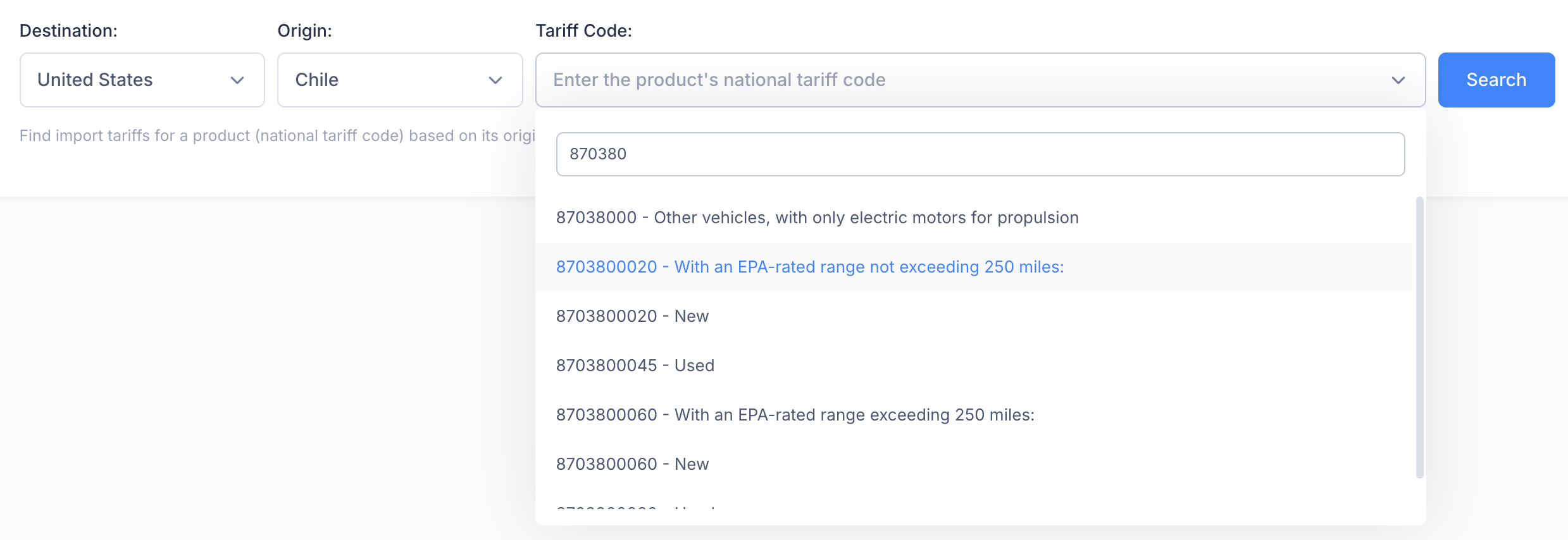
Tip: If you are unsure of the HS code for your product, use the HS Finder tool first to identify the correct classification.
Understanding the Results
Search results are displayed in two panels:
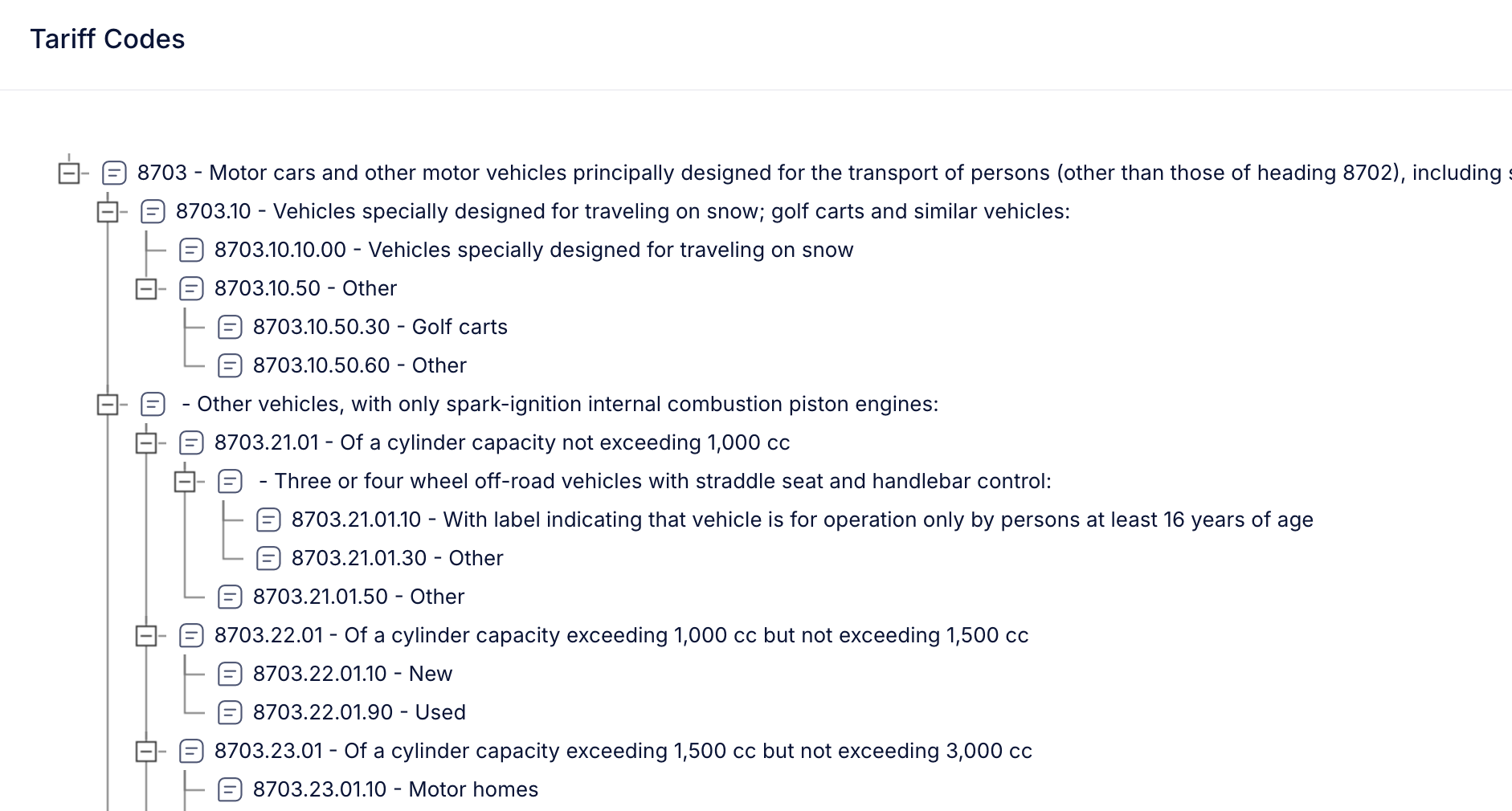
Tariff Code Hierarchy (Left Panel)
The left panel shows a navigable tree structure of HS codes. This hierarchical view helps you:
- See where your product code fits within the broader classification structure
- Explore related codes at the same level or under the same heading
- Click on any code in the tree to view its tariff rates
The selected code is highlighted in blue.
Tariff Rates Panel (Right Panel)
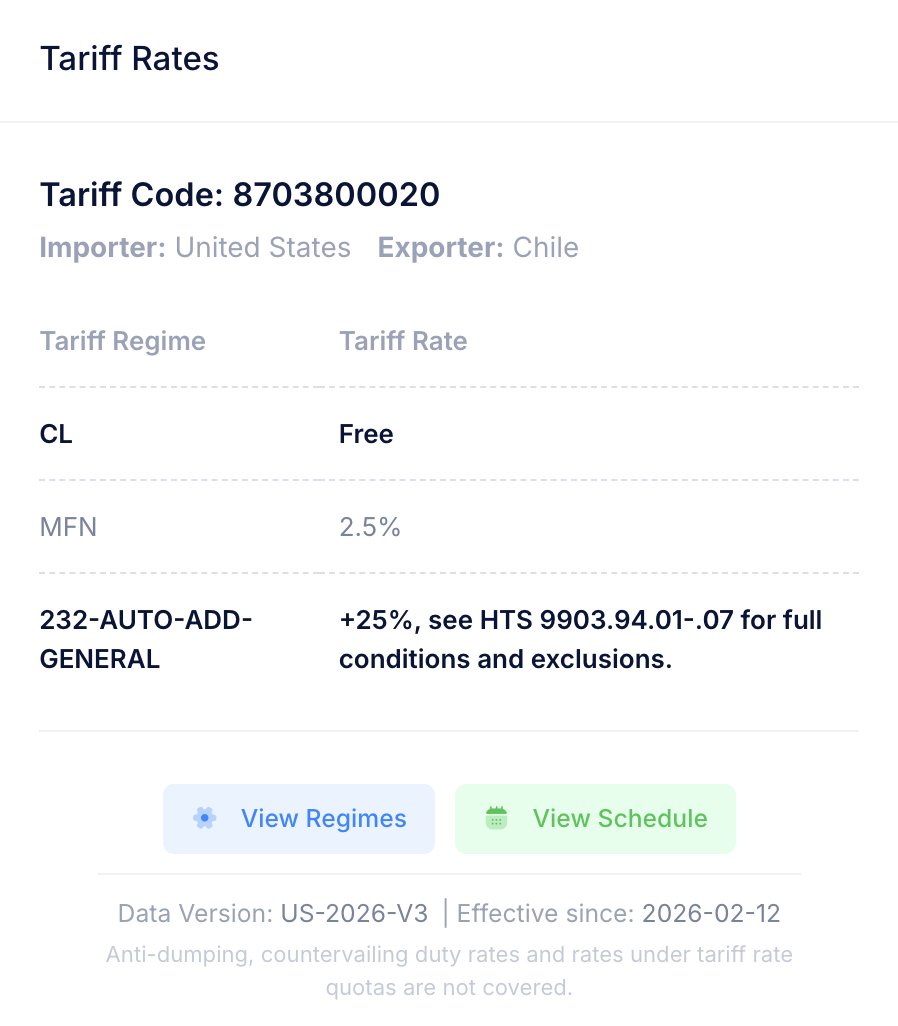
The right panel displays the detailed tariff rate information for the selected code:
| Field | Description |
|---|---|
| Tariff Code | The national HS code you selected |
| Importer | The destination country |
| Exporter | The origin country |
| Year | The applicable year for the displayed rates |
Below these fields, you will see all applicable tariff regimes and their rates.
[Screenshot: Tariff Rates panel showing code details and rate breakdown]
Reading Tariff Rates
Tariff rates are organized by regime (the legal basis for the duty). Common regimes include:
| Regime Type | Description |
|---|---|
| MFN (Most Favored Nation) | The standard WTO tariff rate applied to all member countries without special agreements |
| Preferential / FTA rates | Reduced rates under Free Trade Agreements or Regional Trade Agreements |
| Additional duties | Extra tariffs imposed on specific origins (e.g., Section 301 on China, IEEPA measures) |
| Safeguard duties | Temporary duties to protect domestic industries from import surges |
| Countervailing duties | Duties offsetting foreign government subsidies |
| Anti-dumping duties | Duties offsetting below-market-value pricing by foreign producers |
How to Identify the Applicable Rate
- Rates displayed in bold indicate the most likely applicable rate(s).
- When multiple regimes apply to the same product and origin, additional duties are cumulative -- they stack on top of the base rate.
Example: Duty Stacking
For a product imported into the US from China:
| Regime | Rate |
|---|---|
| MFN | 2.5% |
| Additional-CHN-2024 (Section 301) | +100% |
| Additional-CHN-2025-Feb (IEEPA) | +10% |
Total applicable rate: 112.5% (2.5% + 100% + 10%)
The bold rate in the results reflects this stacked total, giving you the actual duty burden at a glance.
Additional Actions
Below the tariff rates, two action buttons provide further detail:
- View Regimes -- Opens a detailed breakdown of all tariff regimes applicable to the destination country, including the list of partner countries covered by each regime.
- View Schedule -- Navigates to the full tariff schedule entry for the selected product code, showing the complete context within the national schedule.
Last Update Information
At the bottom of the Tariff Rates panel, the Last Update date shows when the data for this particular entry was last refreshed. This helps you confirm that you are working with current information.
Tips for Effective Searches
- Use the most specific code available. A 10-digit national code returns the most precise rate. A 4-digit heading returns all subheadings, which is useful for exploration but may return many results.
- Always verify both origin and destination. Tariff rates vary significantly based on the trade relationship between the two countries.
- Pay attention to bold rates. The bold formatting highlights the rates most likely to apply, taking into account additional duties and trade measures.
- Check the effective dates. Tariff rates can change frequently, especially during periods of trade tension. Always note the "Last Update" date.
- Cross-reference with the Schedule. Use the View Schedule button to see the full national tariff entry for additional context, including footnotes and regime conditions.